Speed cameras, plate cameras and plate readers in police cars
Place cameras in game where you want them, and give every patrol car a plate reader. When a car goes past too fast or a flagged plate drives by, officers get an alert in the CAD and in game.
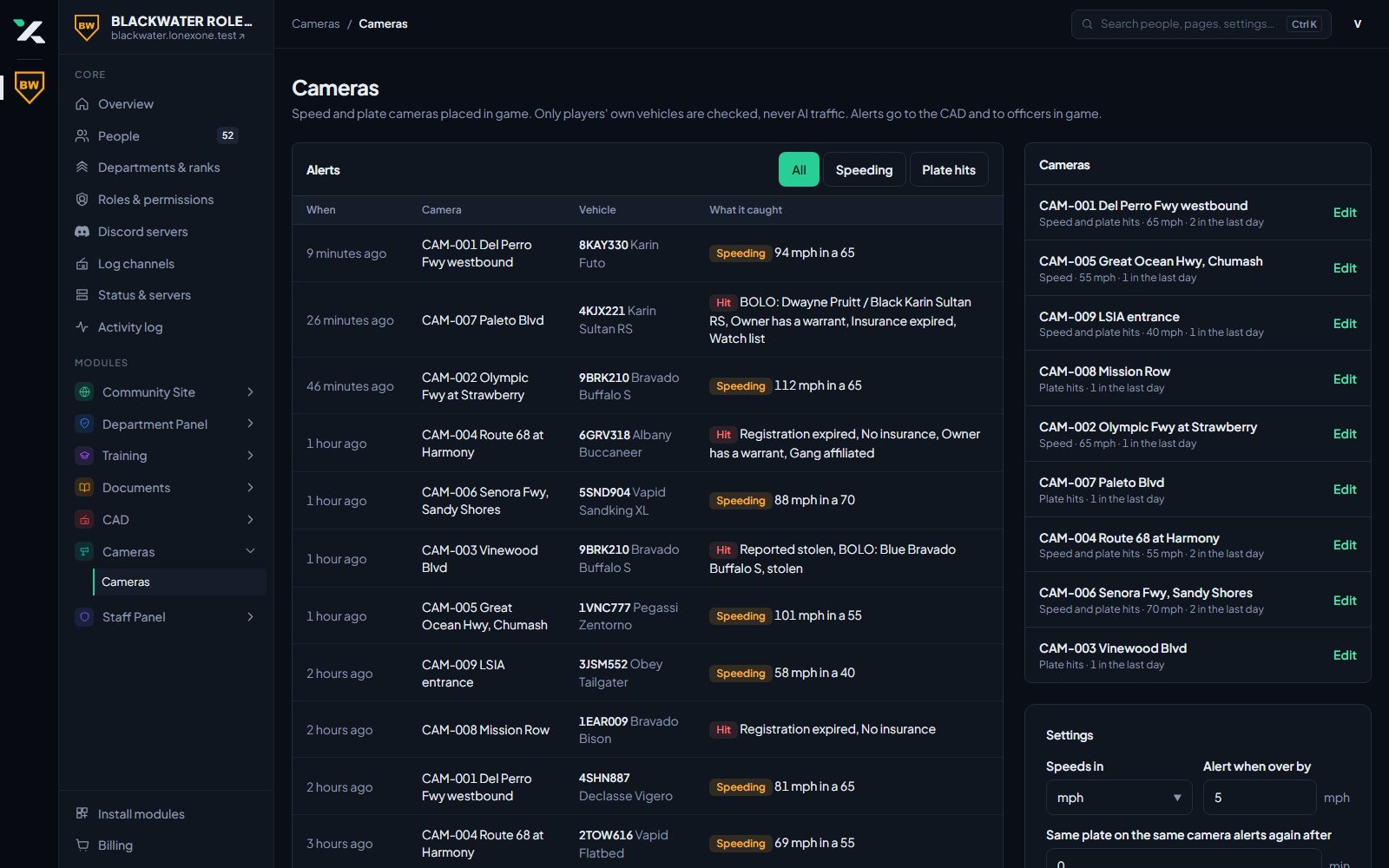
Placed in game
Stand where you want the camera and run /placecamera. Set its speed limit and what it watches for from the website.
- Speed and plate cameras
- Edit and move them from the panel
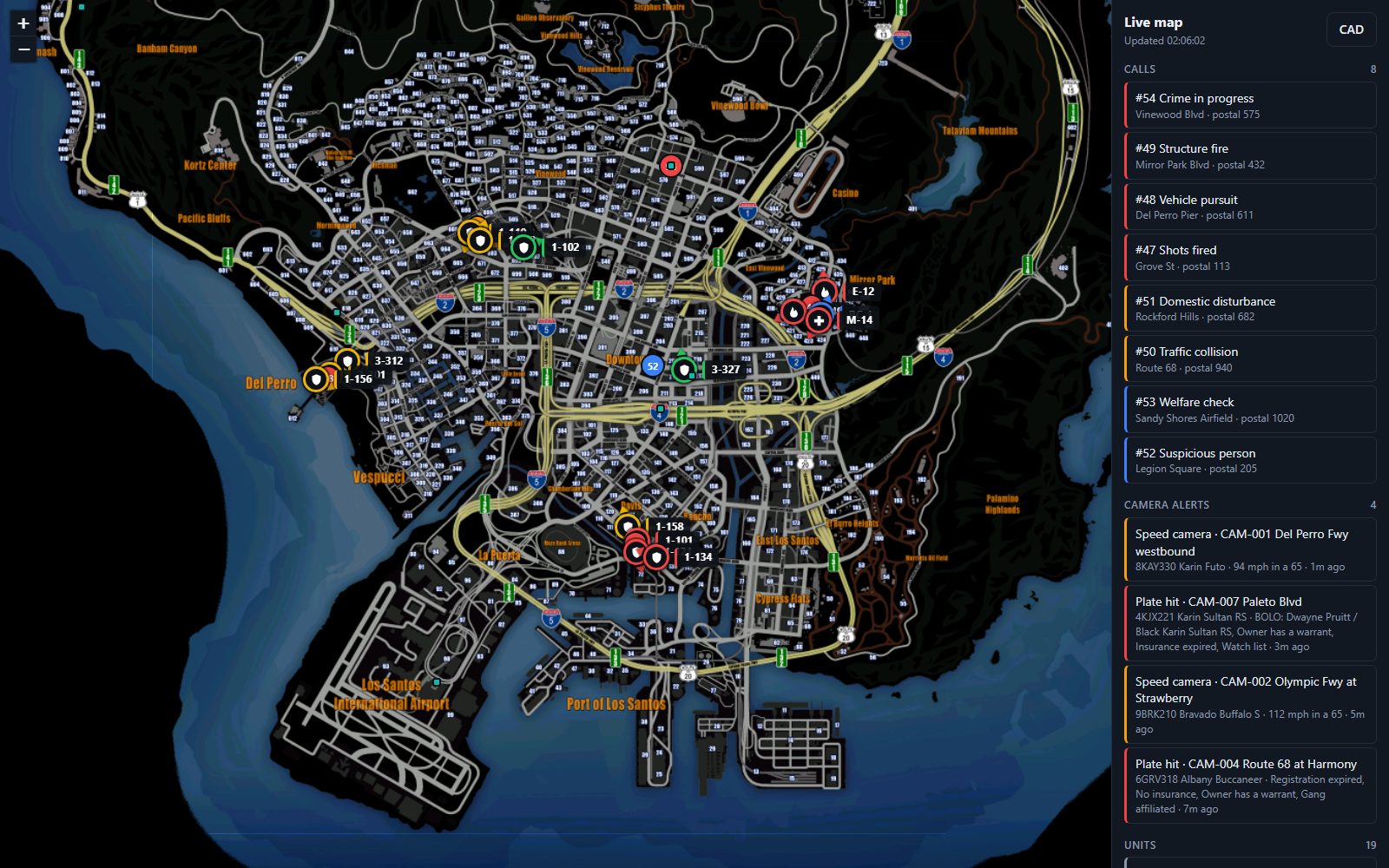
- Shown on the CAD map
Alerts to the right people
Choose who a camera alerts. Hits show in the CAD with the plate and location, and as a notification in game.
- Alerts in the CAD and in game
- Flagged plates from CAD records
- Pick departments and roles per camera
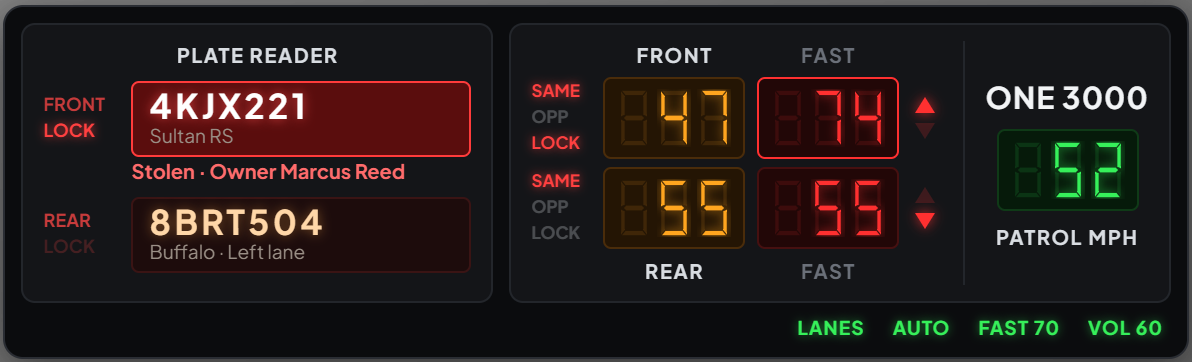
A plate reader in every police car
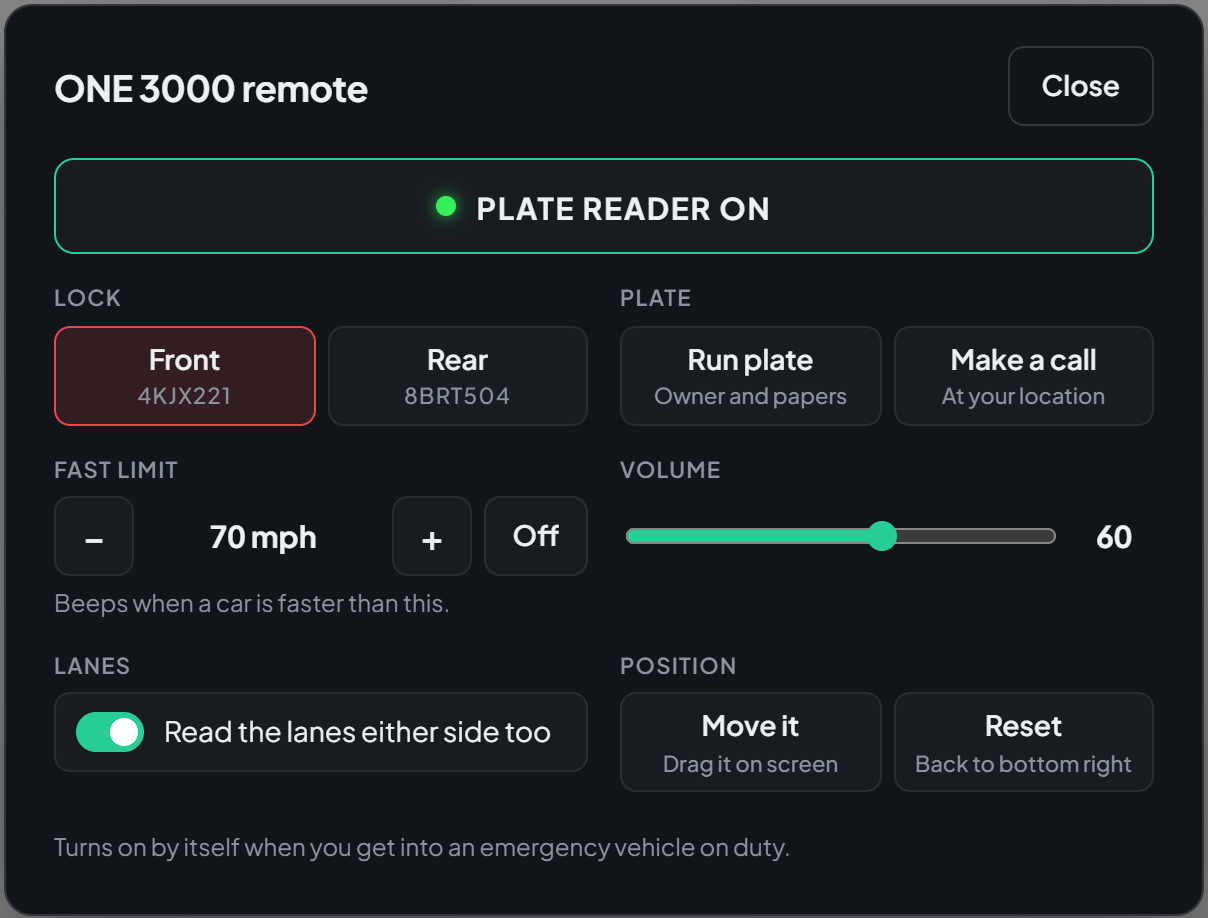
Officers on duty turn on the ONE 3000 with /alpr, or it comes on by itself in emergency vehicles. It reads the plate and speed of the car in front and behind, and checks each plate against the CAD while the car is still in view.
- Plates, models and speeds front and rear, with lanes either side
- Hits for stolen cars, BOLOs, warrants, expired papers and vehicle flags
- Lock a plate, run it, or make a call from it on the remote
- Hits go to the officer's department and dispatch in the CAD
Where a plate has been
Every plate the readers check is kept for as long as you choose, up to 90 days. Search a plate on the website to see when and where patrol cars saw it, how fast it was going and which unit read it.
- Search by plate, or part of one
- Postal, street, speed and the unit that read it
- Only players' cars are kept, never AI traffic
Bring your community over
Join our Discord and open a ticket. We will set your community up and the bot will message you a link to claim it.