LonexOne

How players arrive on your server

Design the loading screen players see while they join, let them pick their character and where to start, and give them a HUD in the design you choose. All of it is set up on the website, with no HTML to edit and no restart.

Mechanics in LonexOne

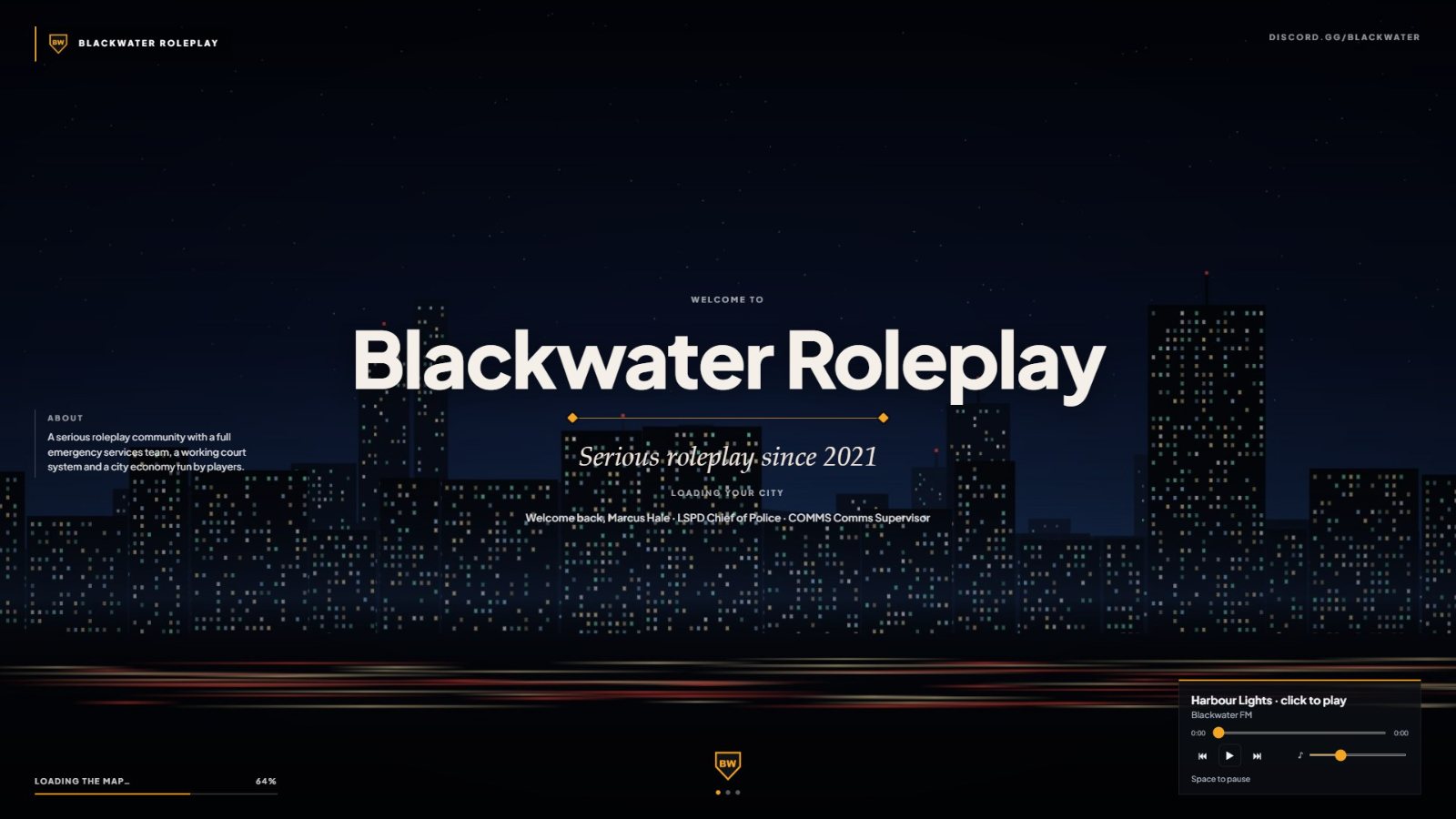
A loading screen with six layouts

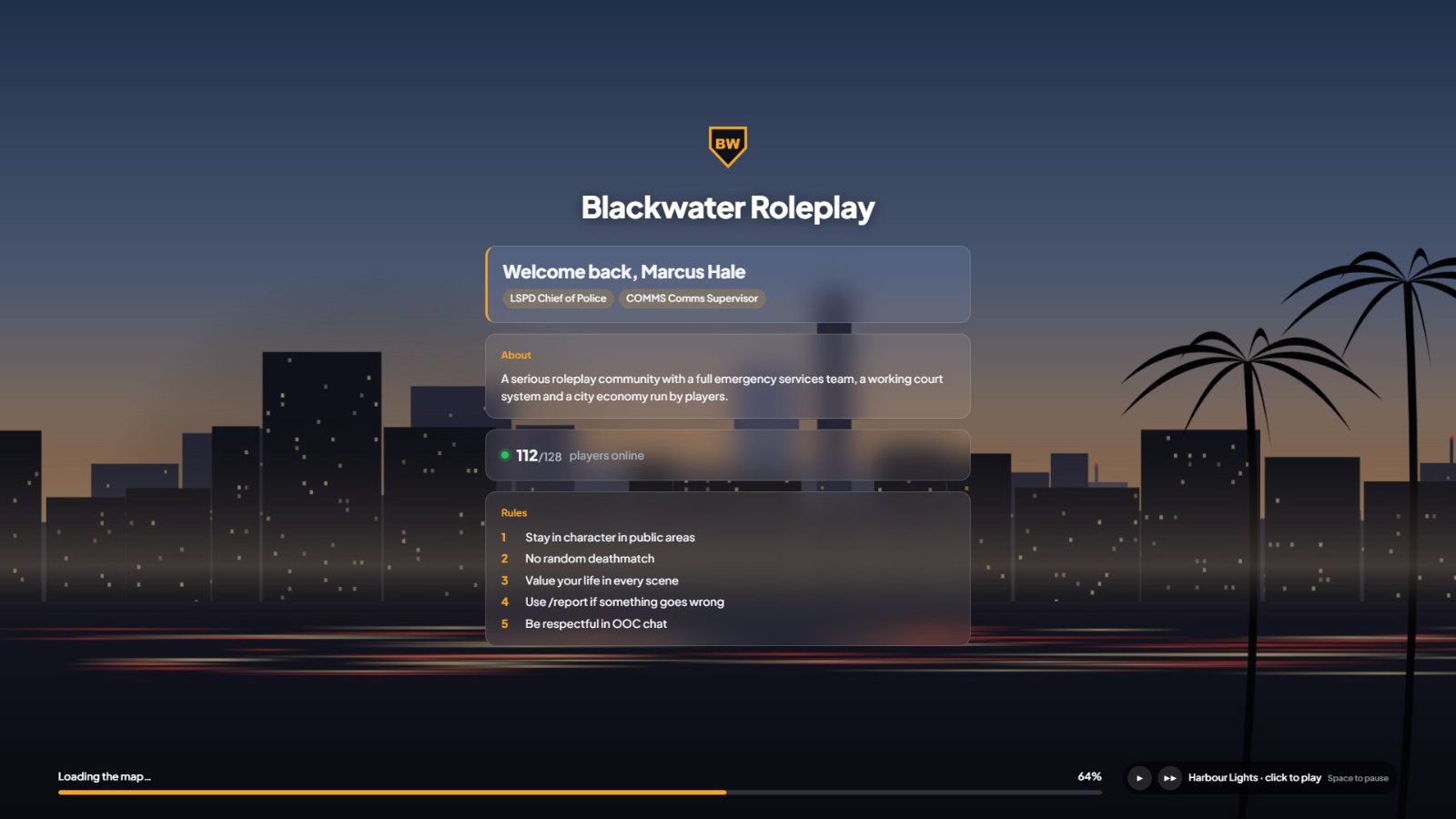
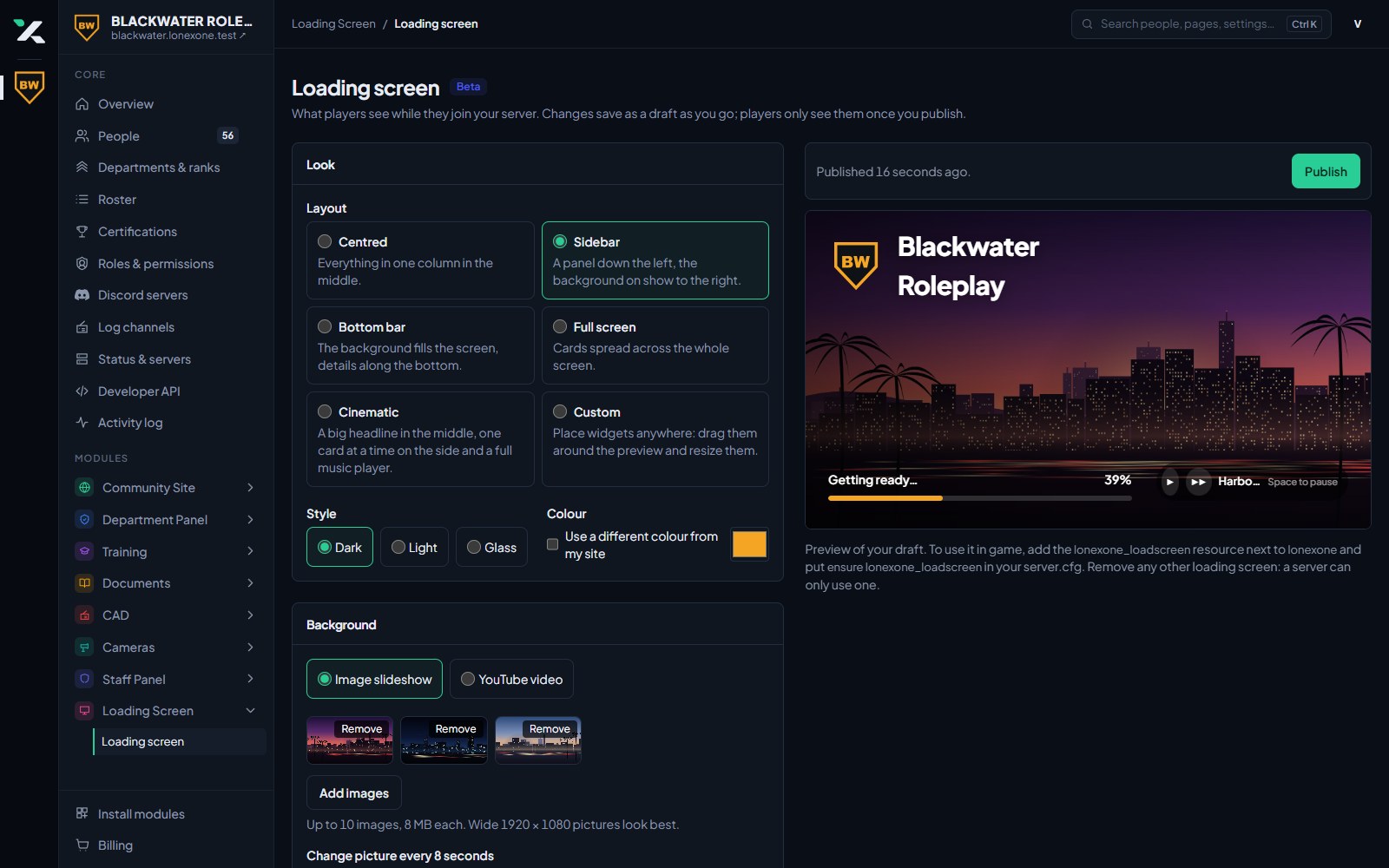
Centred, Sidebar, Bottom bar, Full screen and Cinematic are ready to use, or build your own with Custom. Choose a dark, light or glass style, and use your site colour or pick another.

  • Six layouts, three styles
  • Your logo and colours
  • A loading bar that follows the real progress
A loading screen with six layouts

Players pick their character as they join

Players see their characters on the left, with their character standing on the right, and move through the list to see each one. Making a new character asks for a name, date of birth and body, and makes the civilian in the CAD at the same time, so officers can run them straight away. Each character's look is saved as they play and put back when they pick them again. Character select is in beta: ask us and we will switch it on for your community.

  • The same look as the spawn selector, which opens straight after
  • Up to the number of characters you allow in the CAD
  • Switch character in game with /character

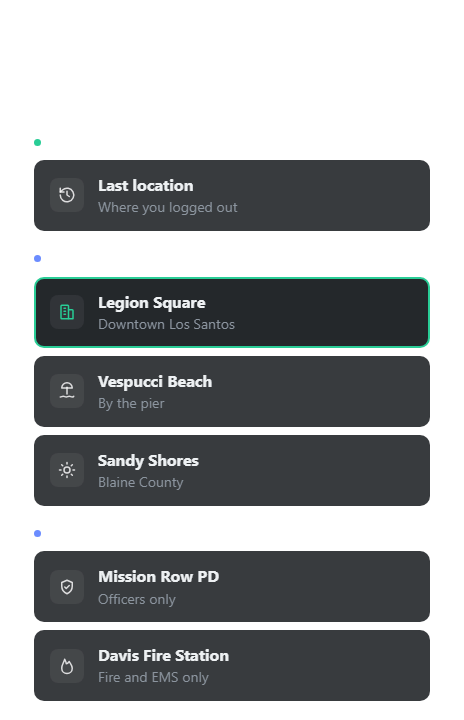
Players pick where they start

When a player joins, or once they pick a character on ESX, QBCore, QBox, ox_core or ND_Core, a list of your places shows on the left. The camera hangs high above whichever one they pick, so they see where they are going before they spawn. The spawn selector is in beta: ask us and we will switch it on for your community.

  • Browse with the arrow keys or the mouse
  • Their last location at the top of the list
  • Your logo and site colour, in a dark or glass style
Players pick where they start

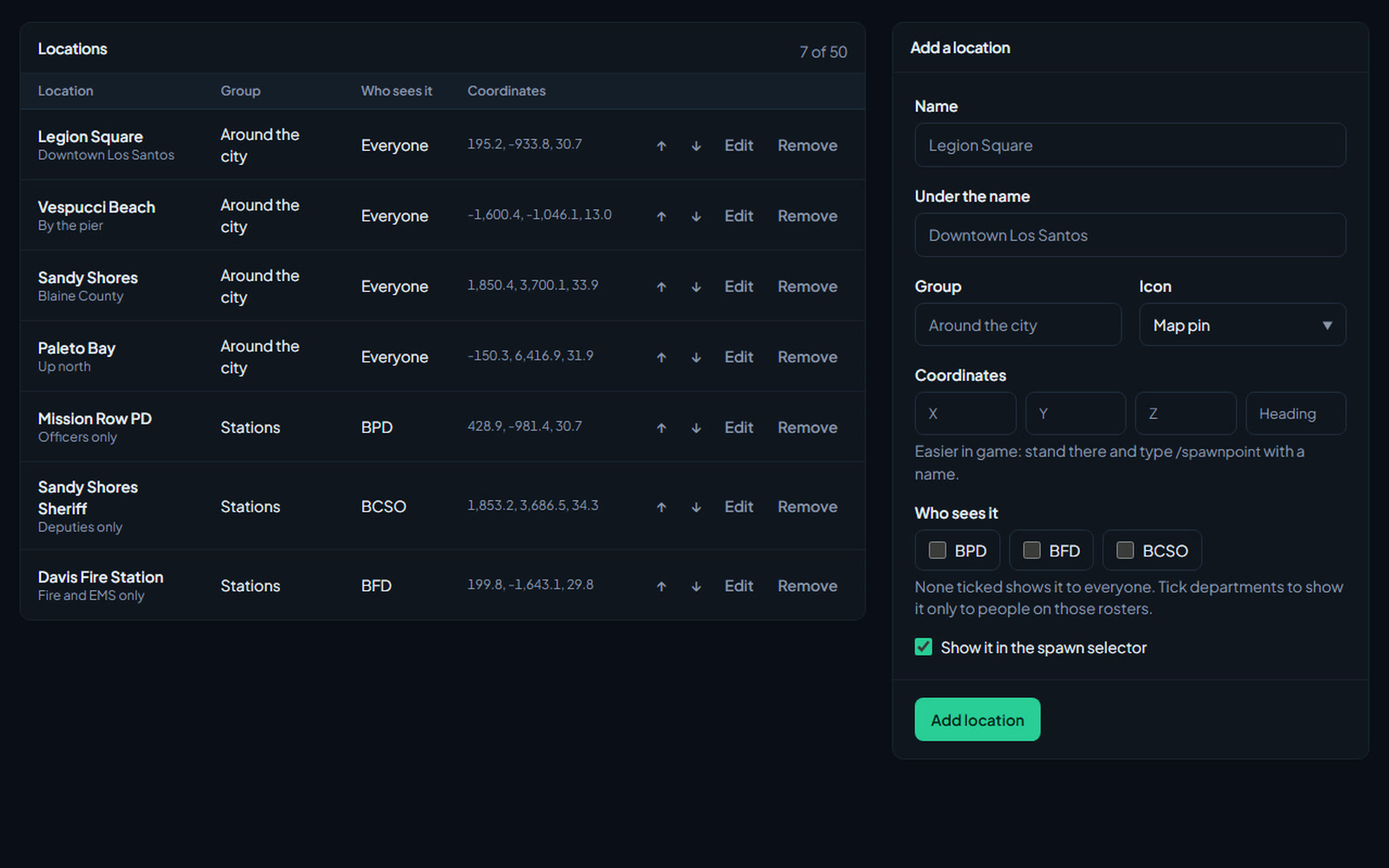
Places for everyone, or one department

Stand somewhere in game and type /spawnpoint with a name to add it. Then group your places, give each an icon and put them in order on the website. Tick departments on a place and only people on those rosters see it, like a police station for officers.

  • Add places in game with /spawnpoint
  • Groups, icons and your own order
  • Department-only places from your roster
Places for everyone, or one department

A HUD in the design you pick

Speed, gear, revs, fuel, seatbelt, compass, the street and cross street, the area, the nearest postal, your AOP, the date and time, health, armour, voice range and the callsign of anyone on duty. Choose from seven designs, from an analogue dial to an amber LCD, then pick your colours, where each part sits and which parts show. Let players pick their own design with /hud. The HUD is in beta: ask us and we will switch it on for your community.

  • Seven designs with a live preview on the website
  • A seatbelt with a warning chime that keeps you in the car in a crash
  • Fuel from LegacyFuel, ox_fuel, cdn-fuel, ps-fuel or lj-fuel
  • A postal map for the minimap, with the CAD's postals and live map to match
  • Staff move the AOP and call peacetime from the game with /aop and /peacetime or /pt
  • Priority cooldowns with /priority, counting down on the HUD
  • Scheduled AOPs that change by themselves, with a warning in chat first
Game permissions without config files

Decide who gets what in game from Discord roles, website roles, ranks, divisions and who is on duty in the CAD. Make your groups on a board, pick what each one can do in plain words, and players get their permissions as they join and within seconds of a change. Lock vehicles, weapons and peds to groups, or give a group to one player for a set time. It replaces DiscordAcePerms, the Discord vehicle, weapon and ped whitelists, and a bot token in config.lua. Game Permissions is in beta: ask us and we will switch it on for your community.

  • vMenu, EasyAdmin and FiveM permissions by name, plus any of your own
  • Risky permissions like console commands are marked
  • Permissions follow promotions and role changes while people play

Doors only the right people can open

Pick doors in game with /doors, group them into buildings and choose who opens them: officers on duty at their own station, a rank, a division, a Discord role or a game permissions group. Change it in game or on the website and it reaches the server in seconds. Door locks are in beta: ask us and we will switch them on for your community.

  • Keypad codes, lockpicking with a break-in call to the CAD, and doors that lock again by themselves
  • Lock a whole building down in one press
  • Bring your doors across from ox_doorlock or cd_doorlock

Down until a medic gets there

A player who dies stays on the ground, muted if you want, until a medic on duty revives them with /revive or takes them to hospital with /hospital. The stay keeps them in a bed for as long as you set, the bill comes out of their character's bank account, and a patient care report goes in the CAD, sent in for the medic or left for them to finish. If nobody comes, they can wake up in the nearest hospital once a timer runs out, and sooner when no medic is on duty. Death and hospital is in beta: ask us and we will switch it on for your community.

  • You choose which departments are medics
  • Hospital spots and beds set in game with /hospitalspot and /hospitalbed
  • Respawn timer, stay length and bill set on the website

Your community on players' Discord profiles

While someone plays, their Discord profile shows your community through your own Discord app: your name, your images, a line like LSPD 1A-12 in Sandy Shores, and buttons to join your server or Discord. Discord presence is in beta: ask us and we will switch it on for your community.

  • Their department, callsign, area, postal and the AOP, kept up to date
  • Up to two buttons, like Join the server
  • A live preview on the website as you set it up

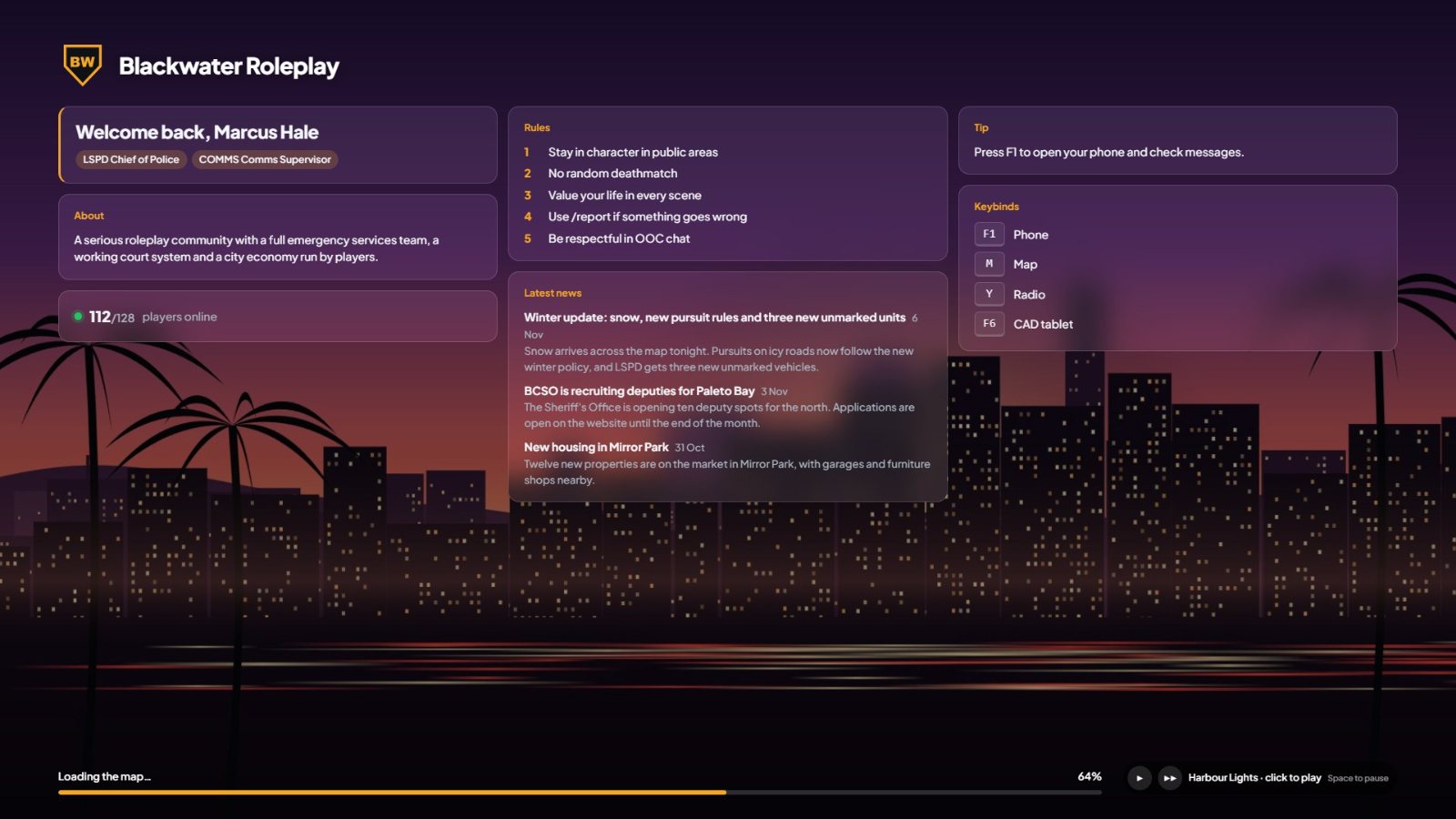
Greets every player by name

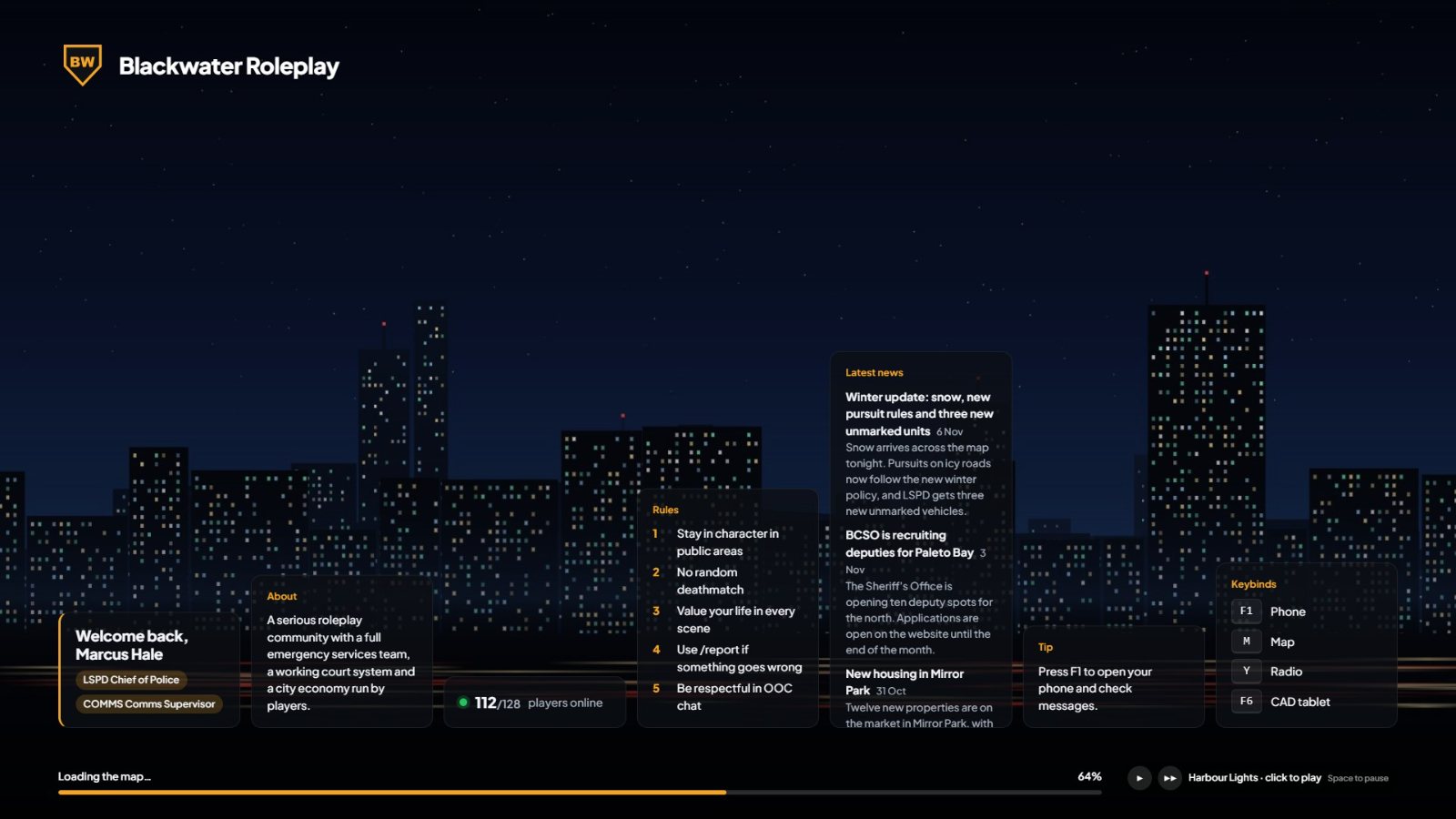
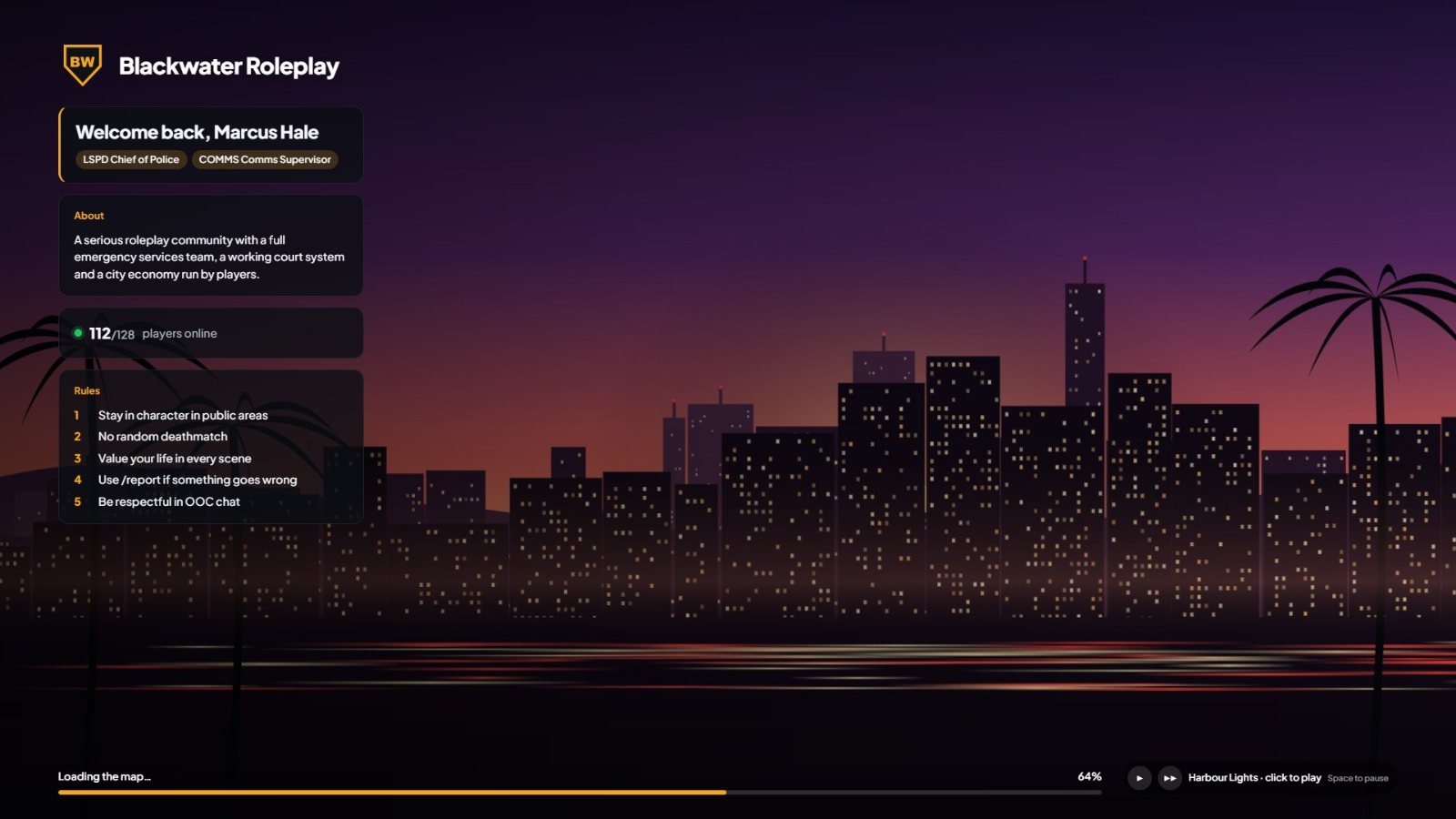
When a player has signed in to your site with the same Discord, the screen says welcome back with their roleplay name, departments and ranks. Otherwise it uses their FiveM name.

  • Roleplay name, departments and ranks
  • Live player count from your server
  • Works with no setup beyond Discord sign in
Greets every player by name

Your rules, staff, news and keybinds

Tick the blocks you want and put them in order: about, rules, your staff from the team page, your latest news posts, rotating tips, keybinds and links to your Discord, website and store.

  • Nine content blocks
  • Staff and news come straight from your site
  • Change the order with the arrows
Your rules, staff, news and keybinds

A slideshow or a video, with music

Upload background images to play as a slideshow, or use a YouTube video, and darken it so the text stays easy to read. Add your own music tracks. Music starts by itself, and players press Space to pause it.

  • Up to 10 images or a YouTube video
  • Up to 5 tracks, with shuffle
  • Set the volume and how dark the background is

Or place everything yourself

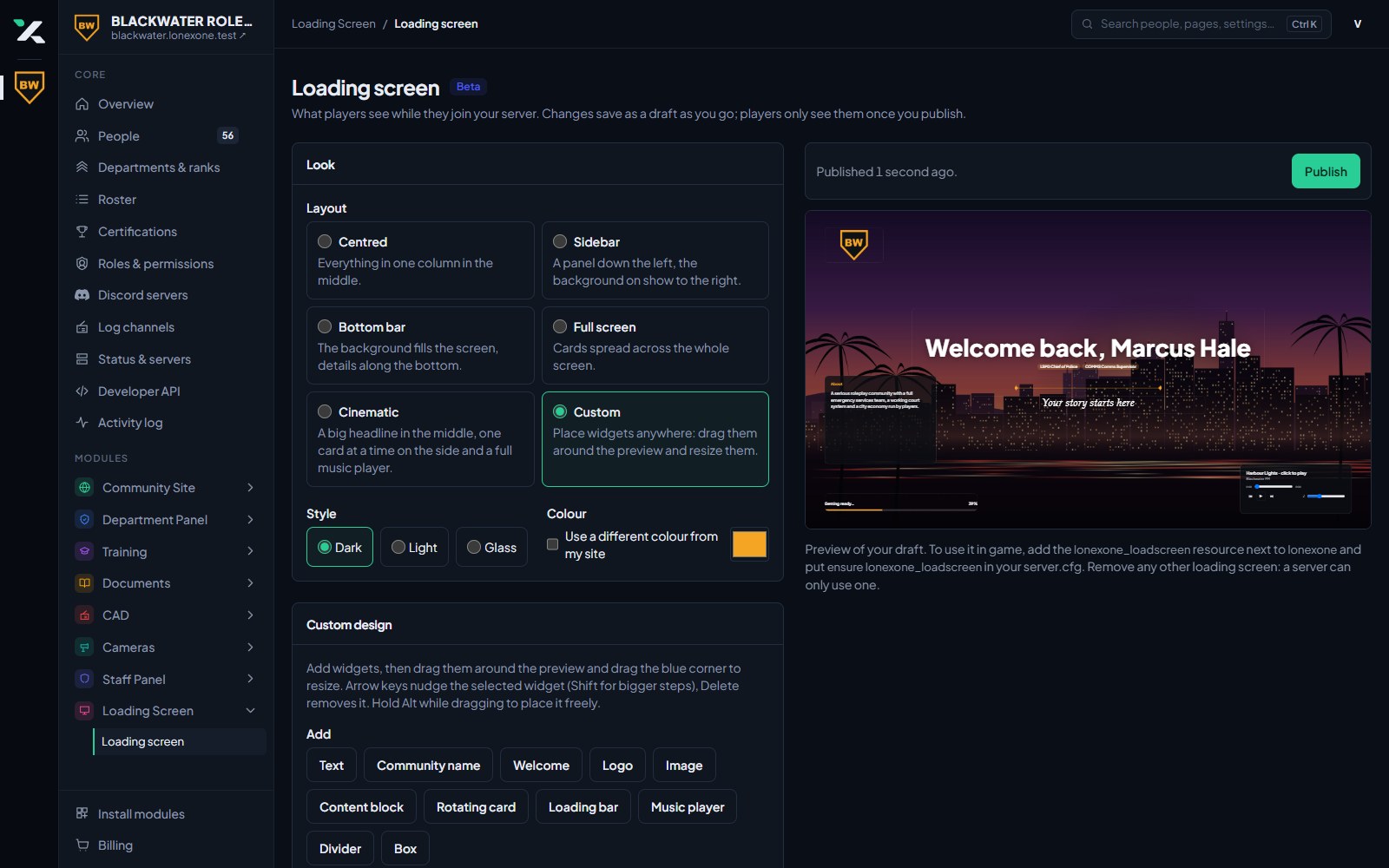
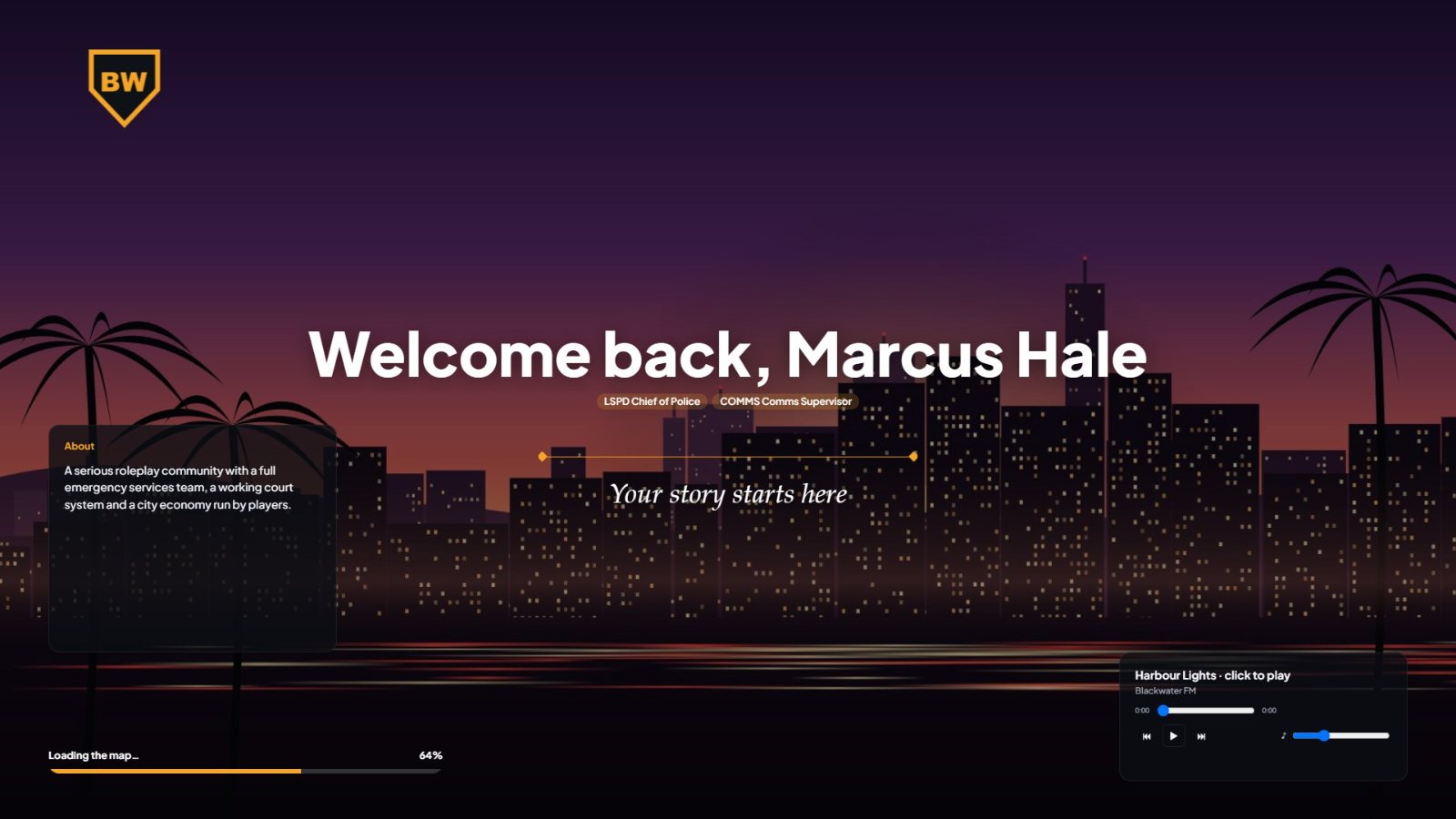
Switch to Custom and put widgets anywhere on the screen. Drag them around the preview, resize them from the corner, and set the font, box and colour of each one.

  • Text, images, logo, music player and more
  • Drag, resize and nudge with the arrow keys
  • Fonts, boxes and colours for each widget
Or place everything yourself

Draft, preview, publish

Every change saves to a draft as you go, and the preview plays a pretend load so you can watch it move. Players only see your changes when you click Publish. Add the lonexone_loadscreen resource once, and from then on publishing is all it takes.

  • Saves as you type
  • A live preview beside the settings
  • No server restart when you publish
Draft, preview, publish

Bring your community over

Join our Discord and open a ticket. We will set your community up and the bot will message you a link to claim it.

Join our Discord