Moderation that remembers every player
Every player who joins your server gets a record: playtime, past names, linked accounts and every action staff have taken. Your team works from the website or from an in-game menu, and both see the same thing.
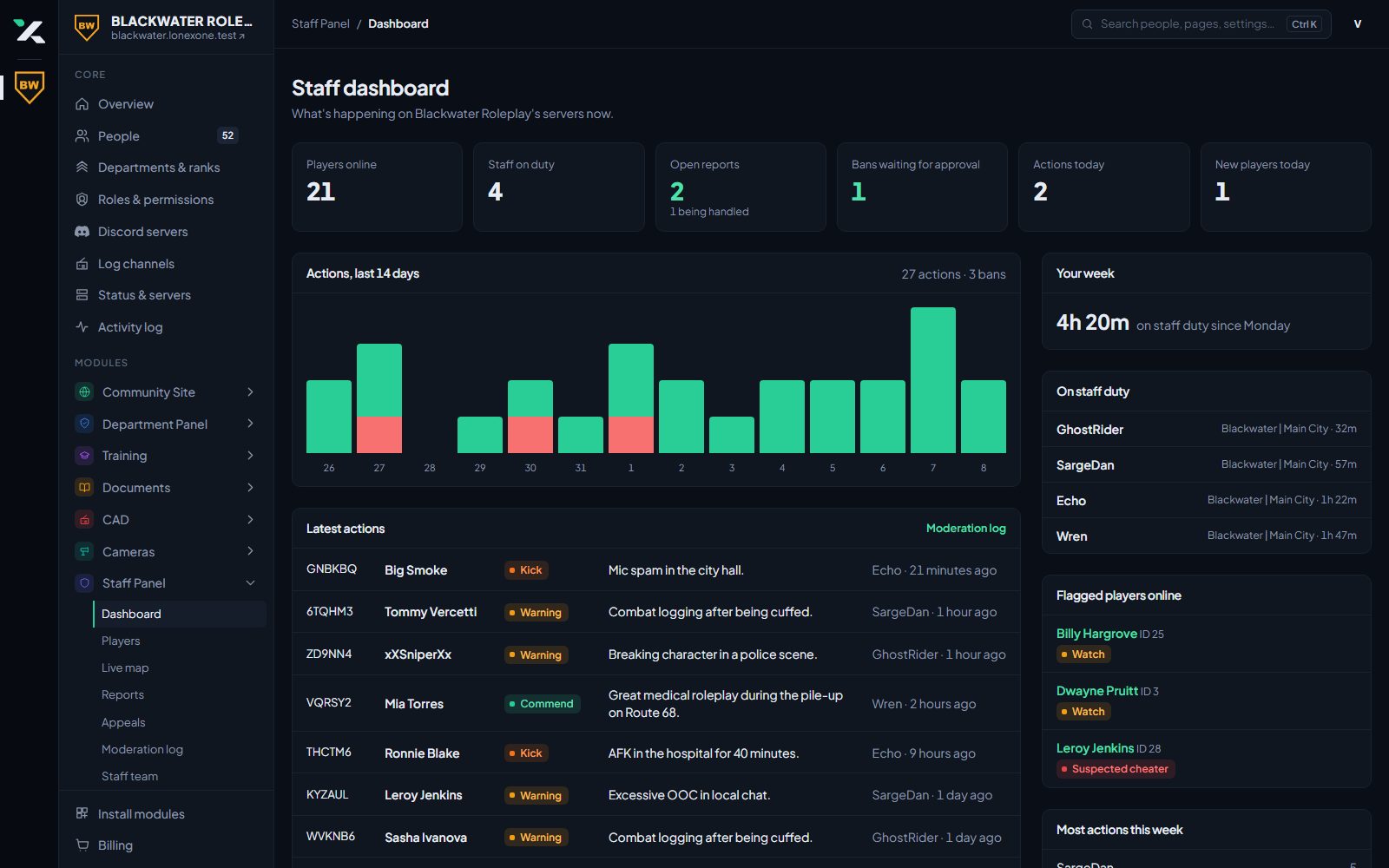
Player database
Players are matched on their Rockstar licence, so a name change never loses their history. Alt accounts show up as linked, not merged.
- Playtime, past names and first and last seen
- Linked accounts and a ban evasion flag
- Notes, commendations and flags with alerts
- IPs and hardware tokens only for staff you allow
- Import players from txAdmin or LonexStaff
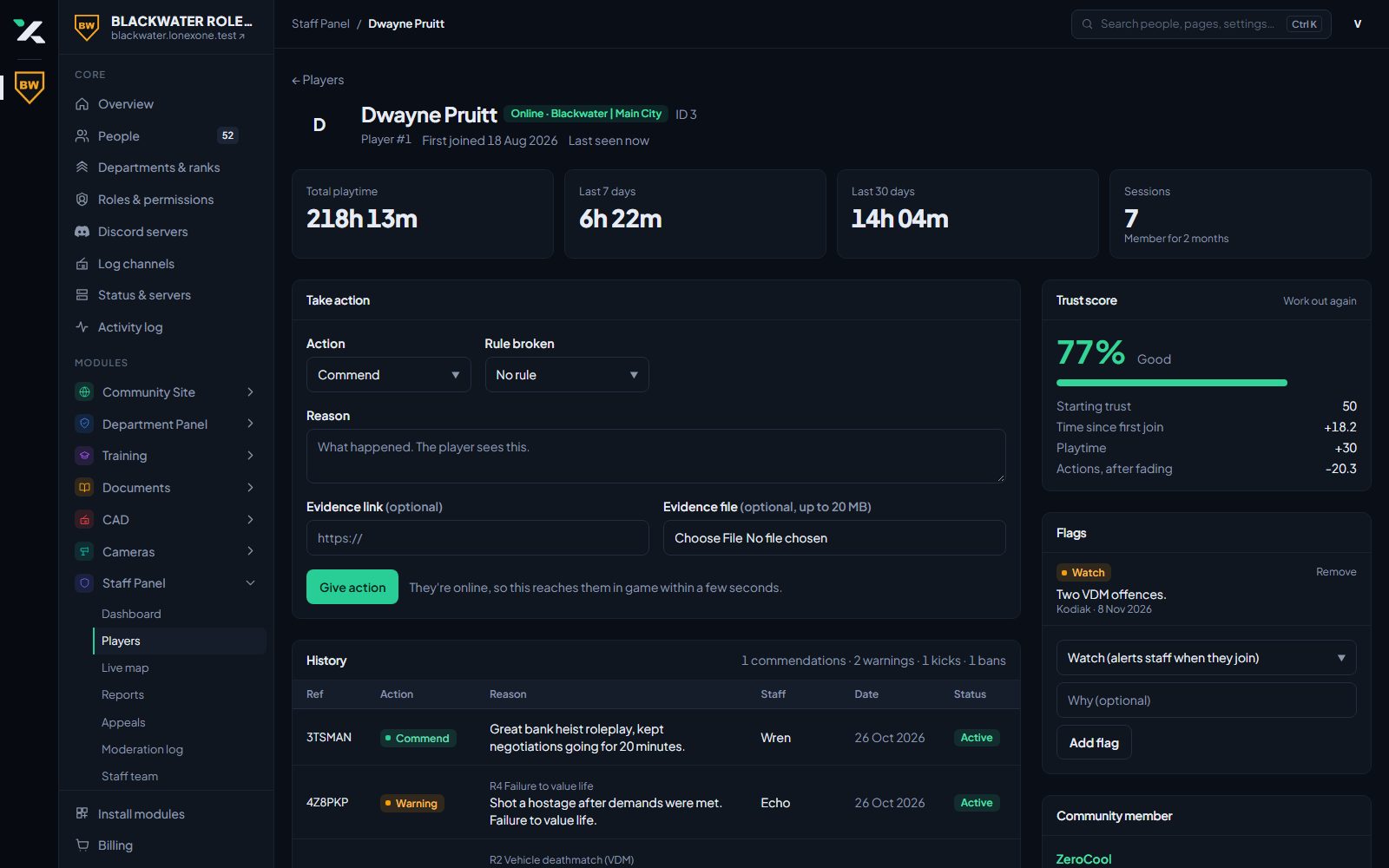
Warnings, kicks and bans
Every action gets a short reference players can quote in an appeal. Rule ladders tell staff what the next step is, and long bans can wait for a second staff member to approve them.
- Warn, kick, ban, commend and community service
- Rules and guidelines with punishment ladders
- Second approval for long or permanent bans
- Evidence and comments on every action
- Bans checked when a player connects
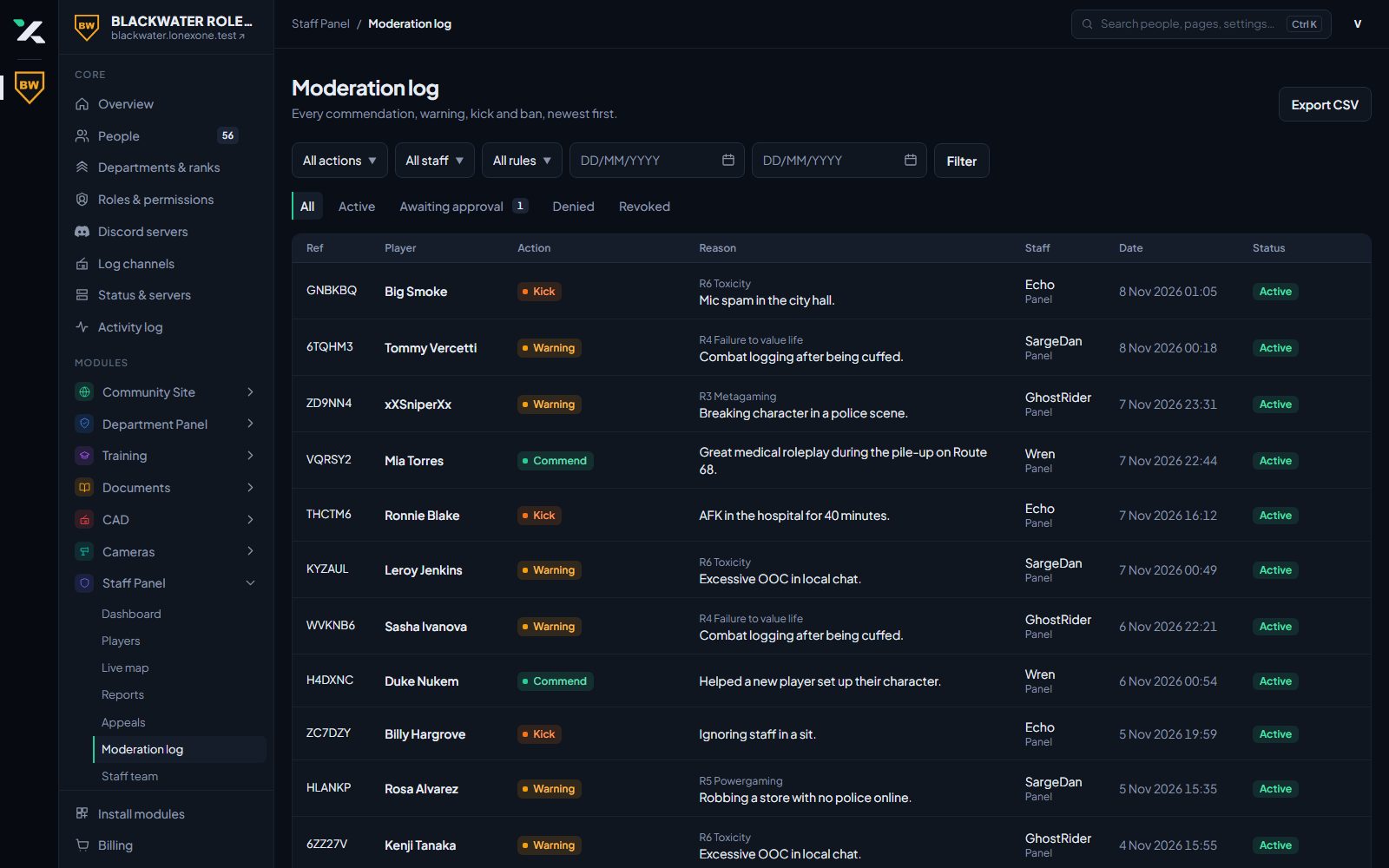
In-game menu and reports
Staff open the menu in game to deal with a player on the spot. Player reports arrive with the last few minutes of chat, kills and damage around them, so nobody has to ask what happened.
- Noclip, spectate, freeze, heal, bring and go to
- Server announcements and vehicle cleanup
- Reports and staff requests with alerts in game
- Kill, damage and chat logs, also posted to Discord
- Live staff map of everyone on the server
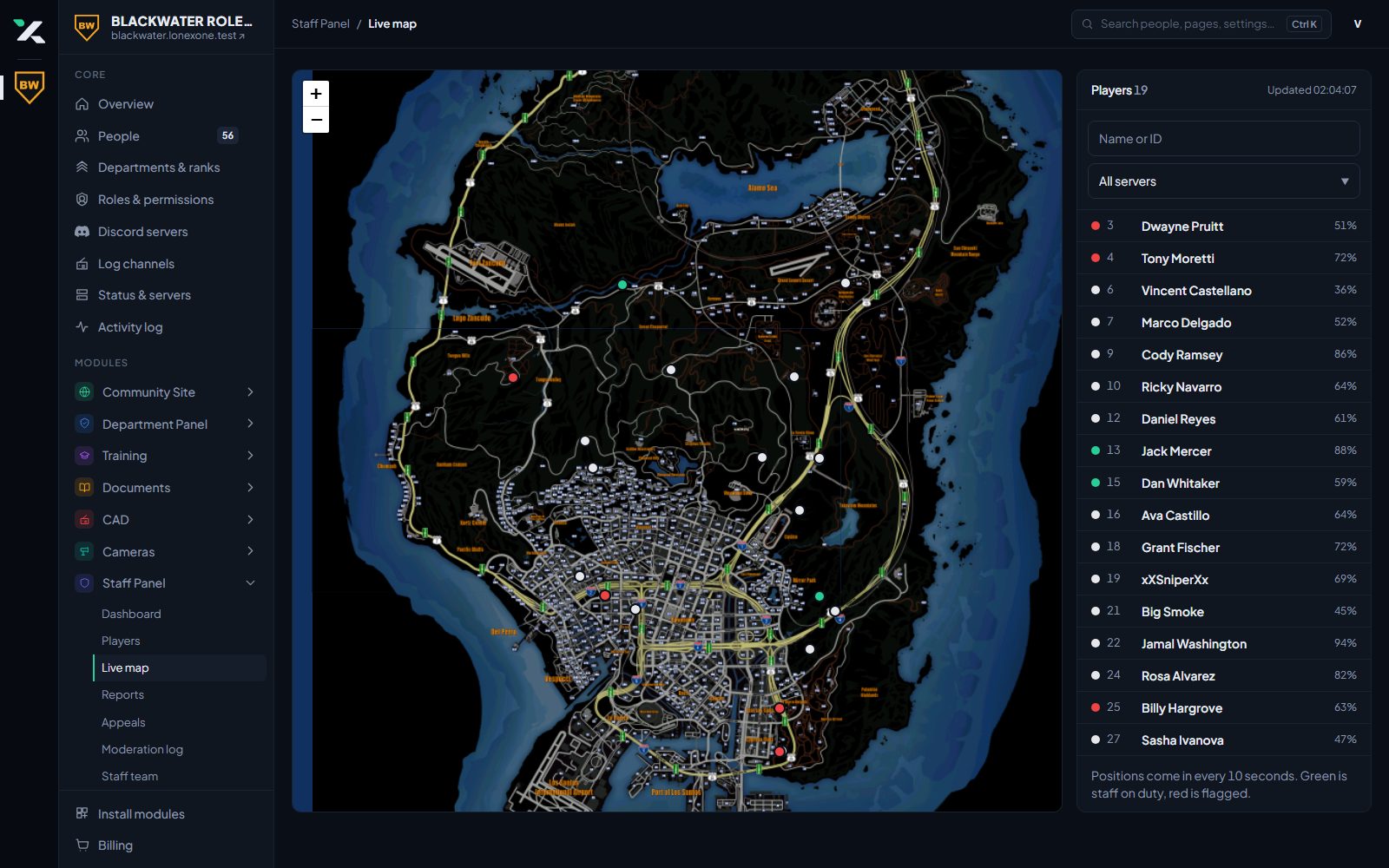
Trust score
Each player has a trust score built from their playtime and record. Use it to keep brand new accounts out, or to stop low-trust players applying to departments.
- Minimum trust to join the server
- Minimum trust and playtime to apply
- Automatic escalation for repeat offences
- Allowlist for closed servers
Your staff team
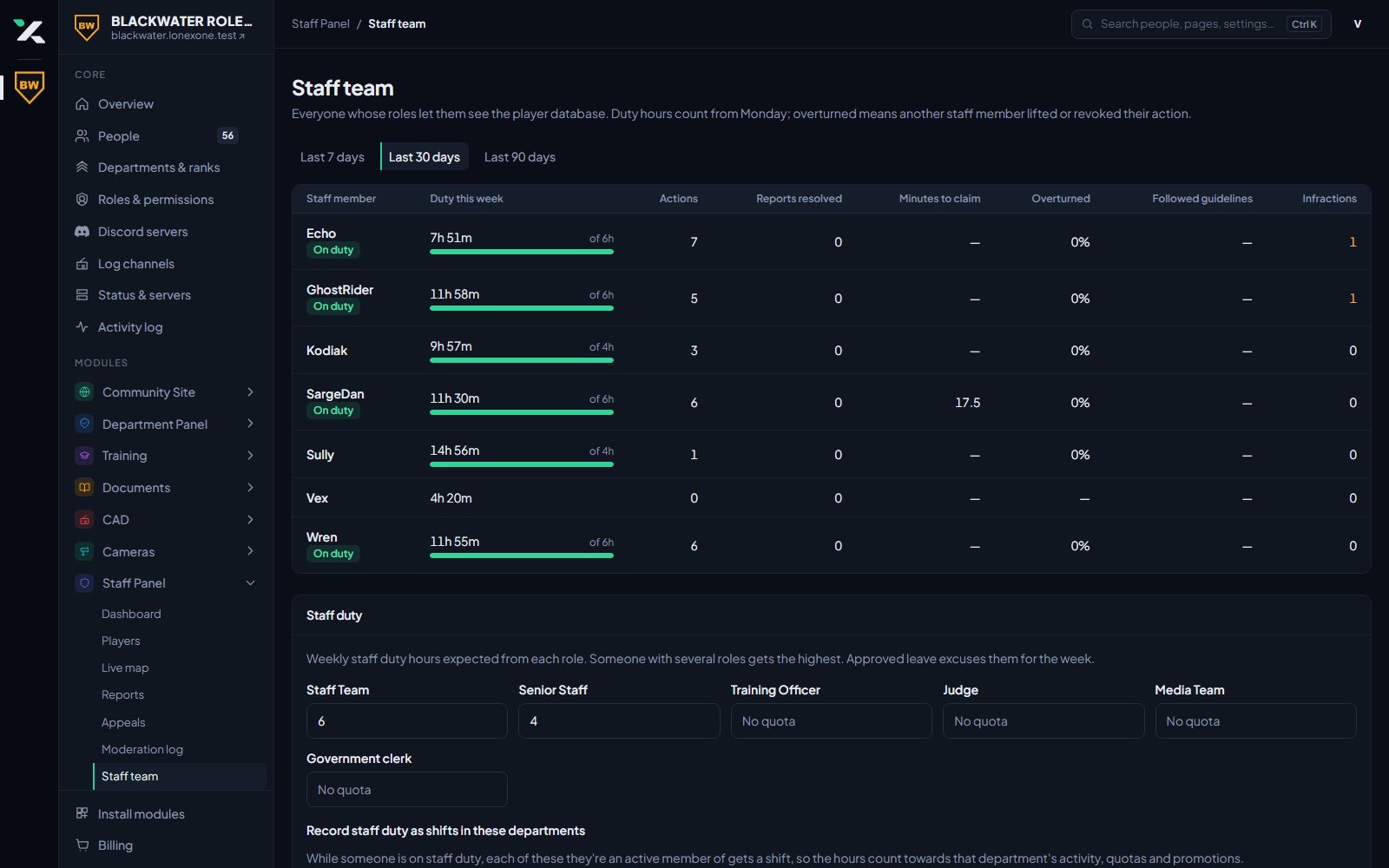
See who is pulling their weight. Staff go on duty in game, hours are counted against the quota for their role, and leave and infractions are tracked in the same place.
- Duty hours and quotas per staff role
- Leave requests and approval
- Staff infractions and duty corrections
- Reward ladder that hands out Discord roles
Player portal and appeals
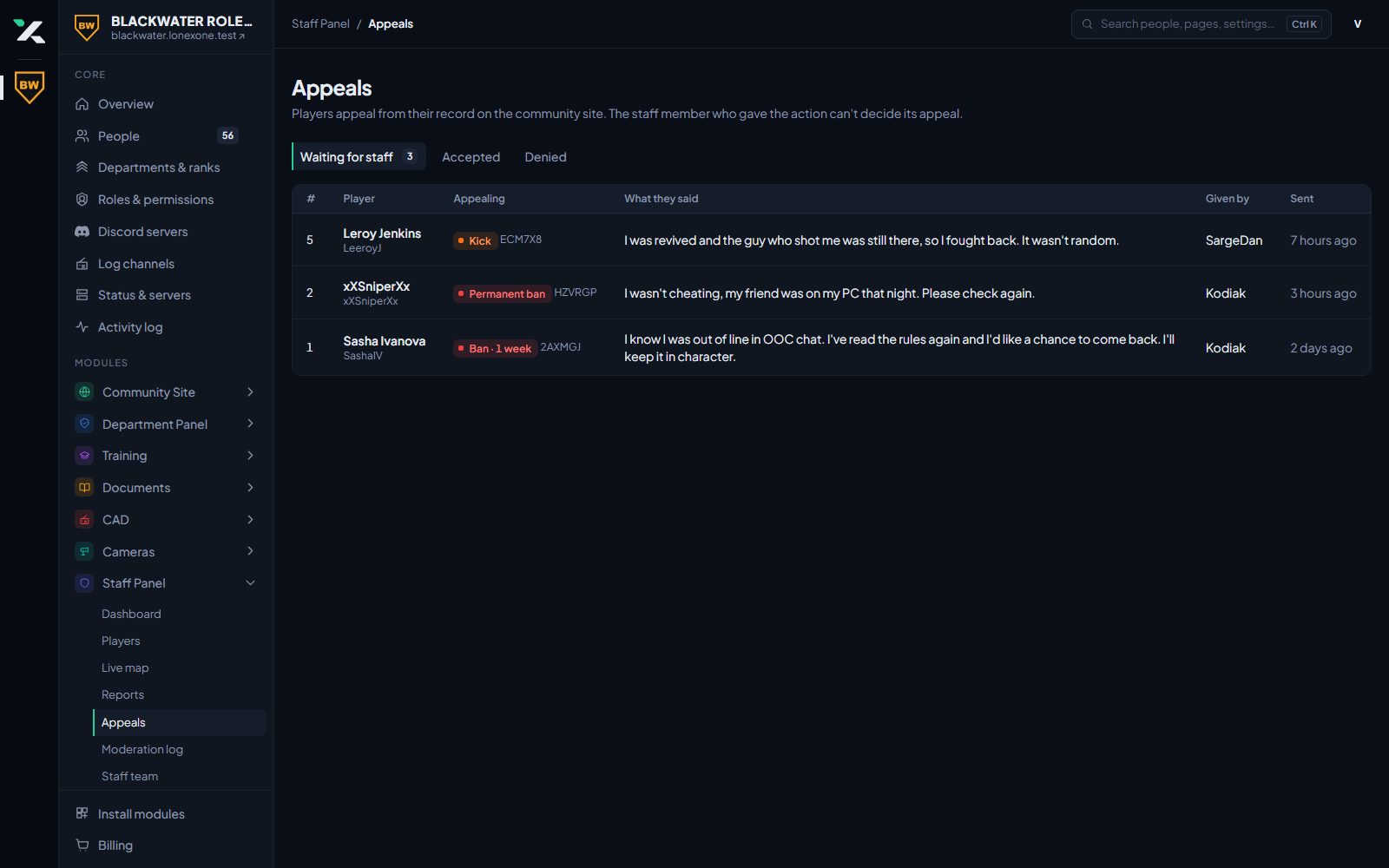
Players sign in to your community site to see their own record and appeal a ban. Accepting an appeal lifts the ban straight away.
- Players see their own warnings and bans
- Appeals reviewed by the staff you choose
- /player and /action in Discord for quick checks
Bring your community over
Join our Discord and open a ticket. We will set your community up and the bot will message you a link to claim it.