Set a member's badge number
How badge numbers are handed out automatically, how to change or remove one, and where badge numbers show up, from Discord nicknames to the public roster.
A badge number belongs to the person, not to a department. It stays the same when they're promoted, transfer or join a second department, so it's a handy way to identify someone across your whole community. Callsigns are different: they belong to each department, and you set them on the roster.
LonexOne gives everyone a badge number when they join, so most of the time you won't need to touch it. You can change it whenever you like, for example to match numbers from your old system.
Before you start#
You can change someone's badge number if your role has either of these permissions:
- Edit profiles, notes and game identifiers
- Add members, change ranks, callsigns and status, for the whole community
If your Add members, change ranks, callsigns and status permission is limited to a department, you can change the badge of anyone in that department who is below your rank.
Everyone else who can open the profile sees the badge number but can't change it.
How badge numbers are given out#
When someone joins your community, they get the next free badge number: one more than the highest number already in use. If your highest badge is 1041, the next person to join gets 1042.
Badge numbers with letters in them, like S-12, are allowed. They're left out when working out the next number, so they won't throw off the count.
Change a badge number#
- Click People in the left sidebar and open the person's profile.
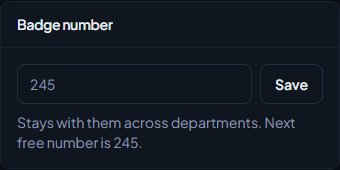
- Find the Badge number box on the right.
- Type the new badge number. It can be up to 32 characters.
- Click Save.
You'll see a message like Badge number set to 1042.
If the person has no badge number, the box shows the next free number as a suggestion, and the hint under it says Next free number is followed by that number. The suggestion isn't saved until you type it in and click Save.
Remove a badge number#
- Open the person's profile.
- Clear the Badge number box.
- Click Save.
You'll see Badge number removed.
Where badge numbers show#
| Where | What you see |
|---|---|
| Their profile in the control panel | Badge and the number, under their name. |
| The People page search | Type a badge number to find its holder. |
| Discord nicknames | The {badge} placeholder in a department's Discord nickname format. Nicknames update when the badge changes. See Set nicknames from the roster. |
| The public roster | The Badge number column, if the department has it turned on under Public roster. |
| My departments | Members see their own badge number on their My departments page on your community website. |
Rules and limits#
- Each badge number can only be used by one person in your community.
- Badge numbers can be up to 32 characters, letters and numbers.
- A badge number stays with the person if they leave a department. It only changes if someone changes it.
- You can set badge numbers for lots of people at once with a Badge column in a roster import. See Import members from a spreadsheet.
Something not working?#
It says someone "already has badge" that number. The message names who has it, for example Jake Hale already has badge 1042. Pick a different number, or change theirs first.
It says "Badge number unchanged." The number you saved is the one they already have, so nothing changed.
I can see the badge number but there's no Save button. You don't have permission to change it. If your roster permission is limited to a department, you can only change badges for people in that department below your rank.
The Discord nickname still shows the old badge. Nicknames update from the roster after a change, but only on servers with nicknames turned on, and only if the department's nickname format uses {badge}. See Set nicknames from the roster.
See also
Find anyone on the People page
Search everyone in your community by name, username, badge, Discord ID or game identifier, filter by department and status, and open a profile to see their departments, certifications and history.
Set Discord nicknames from the roster
Have the bot rename members in Discord to match their callsign, name and rank, choose which department wins for people in several, and switch it off again.
Import members from a spreadsheet
Bring a department's roster into LonexOne from a CSV file or a Google Sheet, match the columns, check the preview, and fix the rows that get skipped.
Can't find what you need?
Open a ticket in our Discord and someone from the team will help. Found a bug, or missing a feature? Tell us on the feedback board.